What a Bitcoin node actually verifies
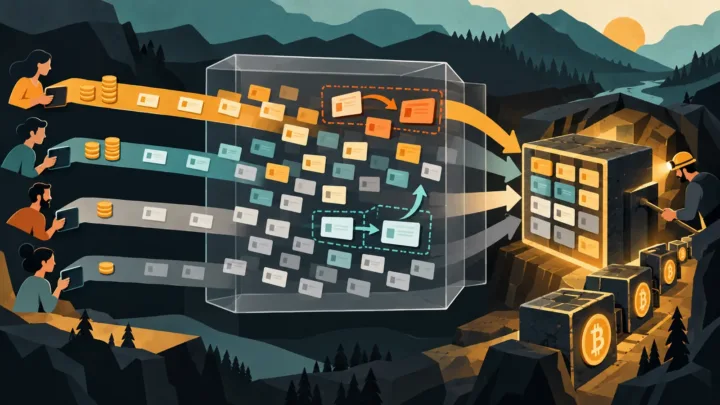
The complete guide to Bitcoin introduces the distributed ledger; a full node enforces its rules. It downloads blocks, verifies signatures, rejects unauthorized monetary creation and checks that every bitcoin spent comes from a valid output. It then relays accepted data to other peers.
This function differs from mining. A miner assembles transactions and searches for proof of work in order to propose a block. A node determines whether that block follows the rules. Even substantial computing power cannot force a properly configured node to accept an invalid block.
A lightweight wallet, by contrast, often queries a third-party server to retrieve address balances and histories. That convenience creates a dependency: the server provides the network view and may observe the requests. Connecting a wallet to your own node reduces this exposure.
Choosing between a full node and pruned mode
Bitcoin Core offers two main operating modes. An archival node stores the entire blockchain and can serve older blocks to its peers. A node running in pruned mode also validates the complete history during synchronization, then deletes older blocks beyond the selected storage limit. It retains the data needed for current operation but no longer provides the full history to other nodes.
Pruned mode suits machines with limited storage. It does not turn the node into a lightweight client: the initial validation remains complete. However, some historical analysis applications require an archival node and additional indexes.
The official Running a Full Node page on Bitcoin.org explains the requirements, network risks and connection options. Storage figures change as the blockchain grows, so check the documentation and the download screen before purchasing a drive.
Hardware, connectivity and electricity costs
A recent computer, several gigabytes of RAM and a reliable SSD are generally sufficient. The initial synchronization places a heavy load on the processor, drive and bandwidth. Once that stage is complete, the workload drops significantly. A mechanical hard drive may work, but an SSD greatly shortens the installation and improves responsiveness.
The budget includes the computer, storage, electricity, internet connection and, potentially, backup power. In Africa, power stability and the cost of mobile data may matter more than the hardware itself. Synchronizing over a capped connection can consume a significant share of a data plan. An uncapped fiber connection, a UPS and good ventilation make operation more consistent.
The node does not need to run 24 hours a day to validate your own transactions. Continuous availability nevertheless helps the network and avoids lengthy catch-up periods. For personal use, a small dedicated machine limits conflicts with everyday tasks.
Installing Bitcoin Core without neglecting verification
Download Bitcoin Core from the official website linked by Bitcoin.org, then verify the package signature. This protects against a modified file or a fake website. Install the software on a drive with sufficient free space, and select pruned mode before synchronization if necessary.
At first launch, Bitcoin Core looks for peers and begins verifying the chain from the genesis block. The process may take several hours or several days, depending on the computer and network. Slow progress does not necessarily indicate a failure: cryptographic verification takes time, especially for newer, more heavily loaded blocks.
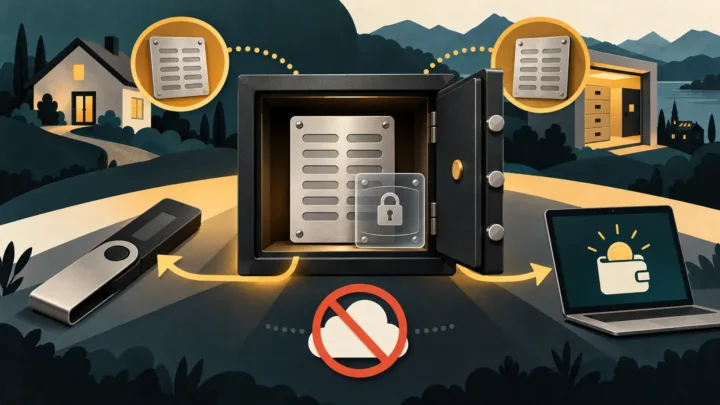
Avoid abruptly shutting down the computer. Close Bitcoin Core properly so it can complete its writes. Also back up the configuration and, if the software hosts a wallet, follow the rules for protecting a crypto wallet. The blockchain data file never replaces a key backup.
Inbound connections, Tor and firewalls
A node establishes outbound connections without requiring a port to be opened manually. Allowing inbound connections on Bitcoin’s port improves its contribution to the network, but requires the router and firewall to be configured correctly. Never expose the RPC interface to the internet: it provides access to sensitive commands and should remain local or be protected by a private network.
Tor can conceal your IP address from peers and facilitate connections in some environments. It does not provide complete invisibility and may slow down communications. A gradual setup — local node first, Tor afterward — makes troubleshooting easier.
Updates require the same caution as the initial installation. Read the release notes, download from the official source and verify the signatures. BrefCrypto’s guide to cryptocurrency security provides additional operational precautions.
Connecting a wallet to your own node
The most tangible benefit appears when a wallet queries the local node. Without this connection, users may verify the network while continuing to reveal their addresses to a public server. Several desktop wallets support Bitcoin Core or a personal server such as Electrum Server.
This setup requires more storage and configuration, particularly to index transactions associated with the wallet. In return, it lets users verify confirmations, balances and transaction propagation directly. A block explorer remains useful for a quick overview, but your node provides an independent source.
Common mistakes
The first mistake is expecting a return. A full node receives no protocol reward. The second is confusing validation with backup: losing the seed phrase still means losing access, even if a complete blockchain is stored on the drive.
The third concerns sensitive ports. Opening the peer-to-peer port never justifies exposing RPC. Finally, some users buy a preconfigured device without checking the software, updates or administrator keys. A convenient system must also support an audit and a documented recovery process.
Key takeaways
- A Bitcoin node validates the rules and transactions; it does not mine and provides no automatic income.
- Pruned mode reduces storage requirements while retaining full chain validation.
- Connecting a personal wallet provides the main privacy and independence benefits.
A sovereignty tool rather than an investment
Running a node requires time, storage and a reliable connection. In return, users no longer depend entirely on an explorer or platform to determine whether a transaction follows Bitcoin’s rules. This autonomy has technical and political value, even without a financial reward. To get started, a modest computer, an SSD, a verified installation and a good backup are enough.